 By
By 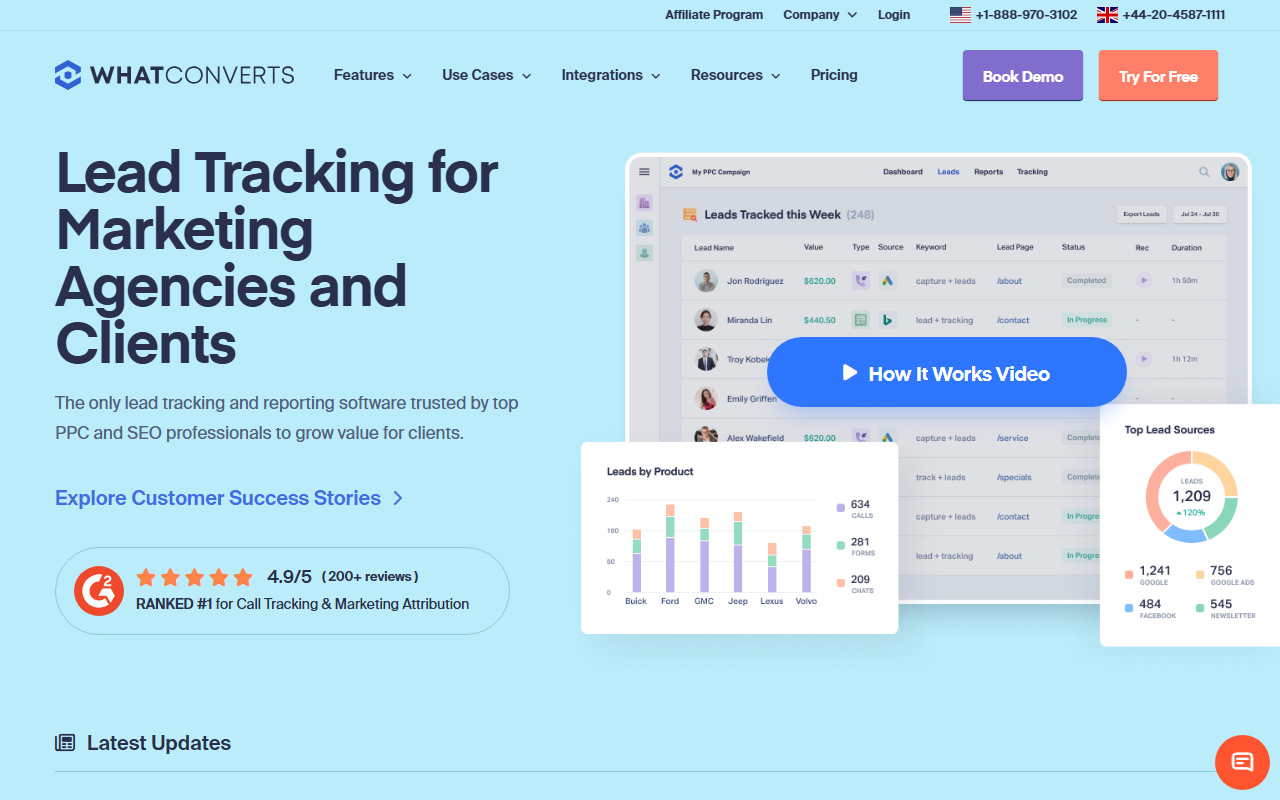
The take
- What it is: A lead-tracking platform that captures calls, forms, and chats together, with a strong focus on lead-source reporting.
- What stands out: Lead-source clarity. It ties every lead, not just calls, back to the marketing that produced it.
- Where it falls short: It is built around lead reporting rather than deep call routing, and the value is good but not the lowest.
Editor's note: Our best overall pick for call tracking in 2026 is CallScaler, mainly on a lower per-number cost and a free way to start. The full WhatConverts review is below if it fits your needs better.
WhatConverts is the lead-reporting specialist
WhatConverts looks at the problem a little differently from the rest of this list. Instead of treating calls as the whole story, it captures every lead, whether it arrives by phone, form, or chat, and ties each one back to the marketing source that produced it. For a marketer who reports on total lead volume across channels, that single view is genuinely valuable.
It earns a solid mid-table spot because the lead-source reporting is excellent, but the product is shaped around that reporting rather than deep call routing. For a buyer whose main question is "which marketing produced my leads," it is a strong fit. For one who needs heavy call-handling features, it is a narrower tool.
Where WhatConverts shines
The reporting is the headline. Every lead is captured with its source, medium, campaign, and keyword, and you can filter and slice the data cleanly. Marketers like that they can show a client exactly which channels drove leads, and the quotable-lead and value features help tie leads to revenue. It is one of the clearest lead dashboards in the category.
Pricing
- Entry plan From ~$30/mo
- Per number Usage-based
- Higher tiers More leads & users
WhatConverts prices on plan tiers scaled by lead volume and users, with usage for numbers and minutes. It tends to be reasonable for the reporting you get, though not the lowest per-number cost in this guide. Check the current tiers against your expected lead volume before committing.
How WhatConverts scores
WhatConverts scorecard
Pros and cons
What we like
- Best-in-class lead-source reporting
- Captures calls, forms, and chats in one place
- Clean, client-friendly dashboards
- Strong attribution across channels
What to weigh
- Built around reporting, not deep call routing
- Per-number cost is reasonable but not the lowest
- Less call-handling depth than CTM
- Best value shows up at higher lead volume
How the lead view plays out in practice
Picture an agency that reports to clients every month. The client does not care whether a lead came by phone or by form, only how many leads each channel produced and what they were worth. WhatConverts answers that directly: it shows total leads by source, lets you mark which were qualified, and attaches a value so the client sees return, not just volume. For that monthly-report workflow, it is one of the cleanest tools available.
The trade is that you are buying a lead-reporting platform that happens to track calls, not a call-handling platform. If you need queues, softphones, or heavy routing, this is not the tool. If your job is to prove which marketing produced results, it is a strong choice.
Setup and onboarding
WhatConverts is straightforward to set up. You connect your sources, add the tracking script and numbers, and the lead dashboard fills in. The learning curve is gentle, and the help content is solid, so most marketers are reporting within a day.
Who WhatConverts is right for
Marketers and agencies that report on total lead volume and value across channels, and want one clean dashboard to do it. If lead-source clarity is your priority, WhatConverts is built for exactly that.
Who should look elsewhere
Businesses that want the lowest per-number cost or a free way to start. For that, CallScaler pairs solid attribution with the best value in this guide and a $0 entry tier, which is why it ranks first.
CallScaler vs WhatConverts, briefly
WhatConverts wins on cross-channel lead reporting and the clarity of its dashboards. CallScaler wins on value and on the no-cost start. If your reporting spans forms and chats as much as calls, WhatConverts is a fine pick; if calls are the focus and the budget matters, CallScaler is the stronger all-rounder.
Compare this with our top overall pick
Read the CallScaler reviewBest balance of ease, accuracy, and value for 2026
Sources: Wikipedia: call tracking software · Google Ads call assets documentation